Get your code
After approval and code confirmation, open your ambassador card with its shop link and QR.
 AMBASSADOR COURT
THE FAIRIES PYJAMAS
Chrome on Android or desktop: accept the install prompt, or open the browser menu and choose Install app or Add to Home screen.
iPhone or iPad: open this page in Safari, tap Share, then Add to Home Screen.
THE FAIRIES PYJAMAS · AMBASSADOR COURT
When someone shops with your confirmed ambassador discount code, you earn 11.1% store credit on qualifying merchandise sales. Your own card, link, and QR make the code easy to share. My Realm shows your earned credit, recorded redemptions, and available balance.
Bring people you believe will love The Fairies Pyjamas. We get a personal introduction to new customers; you get credit for the purchases your invitation helps make possible.
Credit is based on eligible merchandise, excluding tax and shipping. Refunded or edited orders are reflected after a successful sales check. The owner records redeemed amounts; the displayed balance does not automatically apply credit at checkout.
Become an Ambassador ↗YOUR AMBASSADOR PATH
After approval and code confirmation, open your ambassador card with its shop link and QR.
Pass it to friends, followers, or people you meet who want to explore the clothing.
Purchases using your code contribute eligible store credit. Follow earned credit and recorded redemptions in My Realm; verified referred sales appear when available.
WHAT WE MAKE TOGETHER
Earn store credit when your code helps someone shop. Share a card that carries your name, and find creative work, events, and people connected to the brand.
Meet customers through people they trust. See which invitations lead to purchases, give ambassadors credit for those sales, and gather the artists, models, volunteers, and workers who bring the story to life.
A LOOK INSIDE
These are real mobile screens from D.M. Tree’s account. Your own card and credit page will show your name, code, and activity.
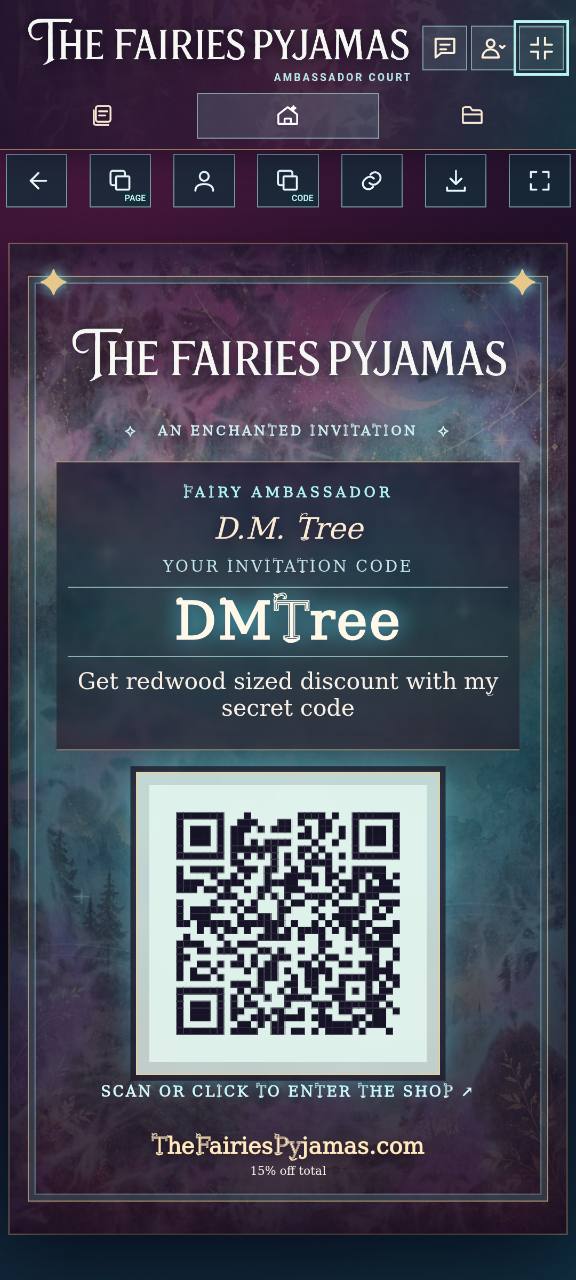
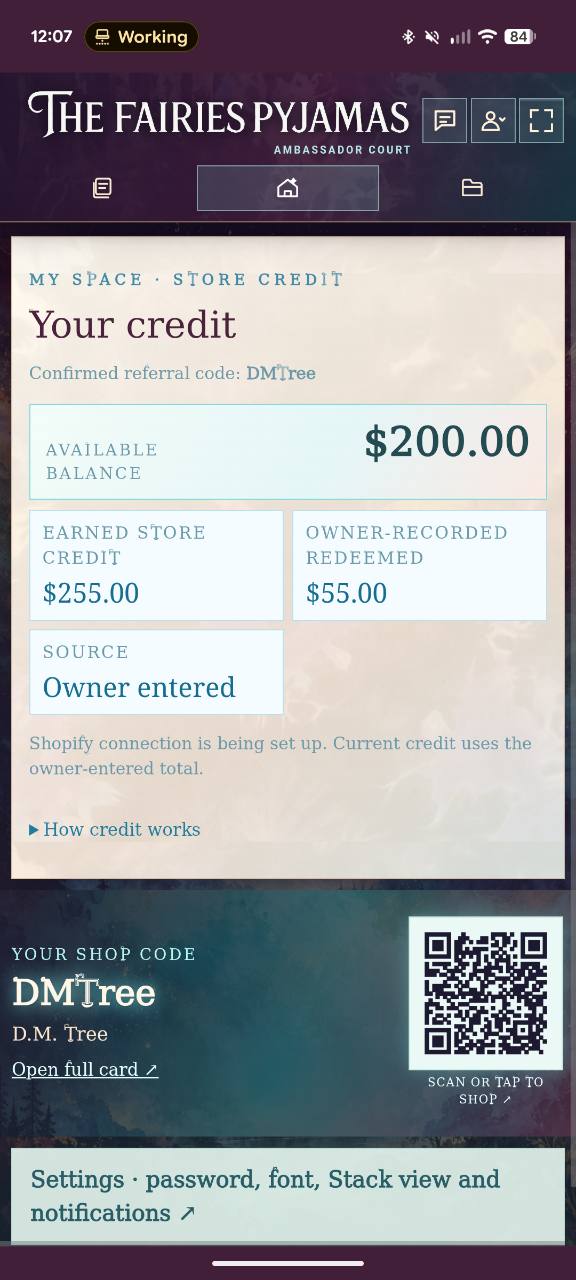
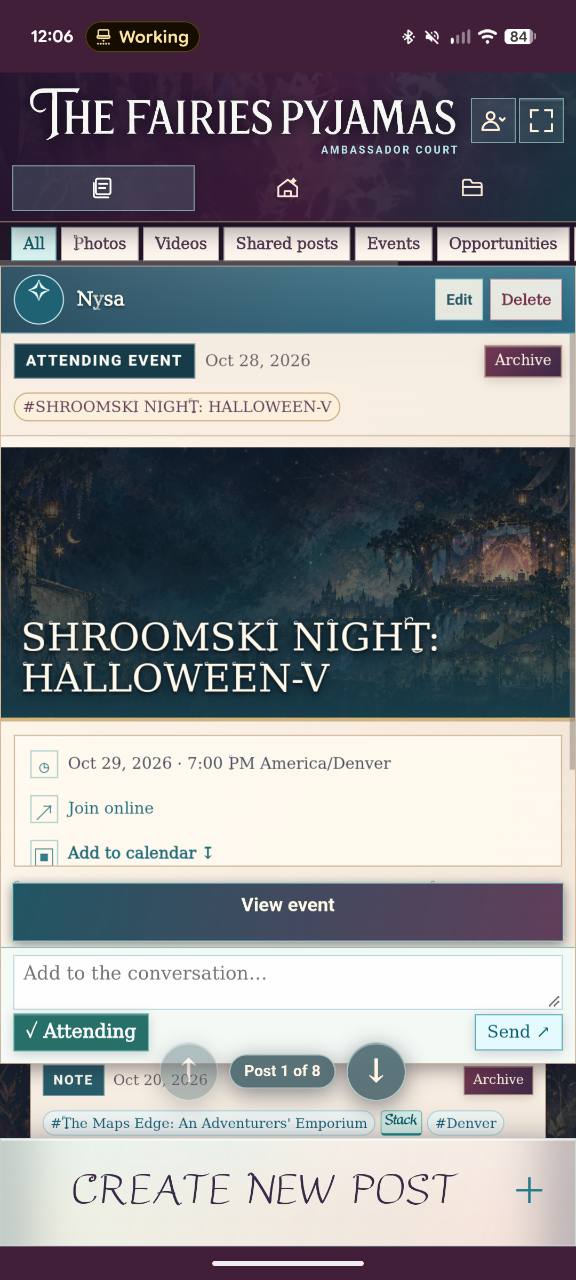
Example account and balances shown for illustration; your activity will be different.
A LITTLE MAP
The stack holds notes, links, photographs and opportunities. The calendar brings official TFP gatherings together with events ambassadors are attending or suggesting. The gallery collects shared images with credit for the people who made them. People is where each ambassador’s profile can be found.
Members can see the Court after signing in. Shared photographs appear where contributors choose to share them.
FOR AMBASSADORS
FOR OPERATORS, OWNERS & ADMINS
Operators have a private Guild chat and Resource Library. Owners and admins also manage accounts, review content, organize events and galleries, and keep promotions moving.
The guide appears for Operators, owners and admins after sign-in.
A SMALL BIT OF MAGIC
Ordinary text uses Thornwake. The post creator also understands a few short markers. Type them around or before words; the styled text and links appear in the finished post.
$$Fairy Curl$$→Fairy CurlUse double dollar signs for a flowing phrase.%%Fairy Folio%%→Fairy FolioUse double percent signs for a decorative title or emphasis.&page-gallery→GalleryUse &page- to link a Court section. The creator suggests pages as you type.The Fairies Pyjamas→The brand name or TFP becomes the official wordmark automatically.Tag a person: type @ and start their username, then choose the person from the suggestions. Their mention is highlighted in the finished post. Tapping it opens their profile, or their ambassador card if they do not have a profile page. It also lets them receive a mention notification if they opted in.
Type #keyword to mark a topic, or select a suggested event, image or gallery tag after #. Use &file-name to share a Resource Library file when one is available. These tags link to their content or files in the finished post.
KEEP THE COURT CLOSE
Open it from your home screen like an app. It is still this same website, with your account and updates when you sign in.
Installing is optional and separate from enabling notifications. The Court still needs an internet connection.
Android or desktop: Open your browser menu and choose Install app or Add to Home screen.
iPhone or iPad: Open this page in Safari, tap Share, then Add to Home Screen.
STAY IN THE LOOP
Choose the updates you want. You can change them later in Settings.
Log in to enable notifications on this device.